Let's start with deployment.
In this post :
- we will deploy Objects replicator.
- Configure replication between two buckets.
- Verify if data is replicated.
- Configure replication alerts to monitor replication from Objects UI
Uploading Replicator Images :
- GoTo : PrismCentral -> Virtual Infrastructure -> Images
- Click on “Add Image” -> Browse “objects-replicator-1.1.qcow2” -> ProvideImage Description -> Next -> Select your AOS cluster -> Save

- Add ISO image as well in same way :

Creating Objects Replicator Instance:
- Goto : PrismCentral -> Virtual Infrastructure -> VMs
- Create VM -> 4 vCPUs & 8G memory -> Add Disk -> Select “Clone from Image Service” in Operation -> Select “objects-replicator-1.1.qcow2” in Image list

(Min 2 vCPU and 4G memory required .)
- Edit CDROM -> Select “Clone from Image Service” in Operation -> Select “objects-replicator-1.1.iso” in Image list.
- Add one more disk of 40G in size to the VM. This disk will be used for logging purpose.
- Add Network adapter
- Save and PowerOn VM
Configuring Replication :
- SSH to ObjectsReplicator VM’s IP. (Username : nutanix, Password : nutanix/4u)
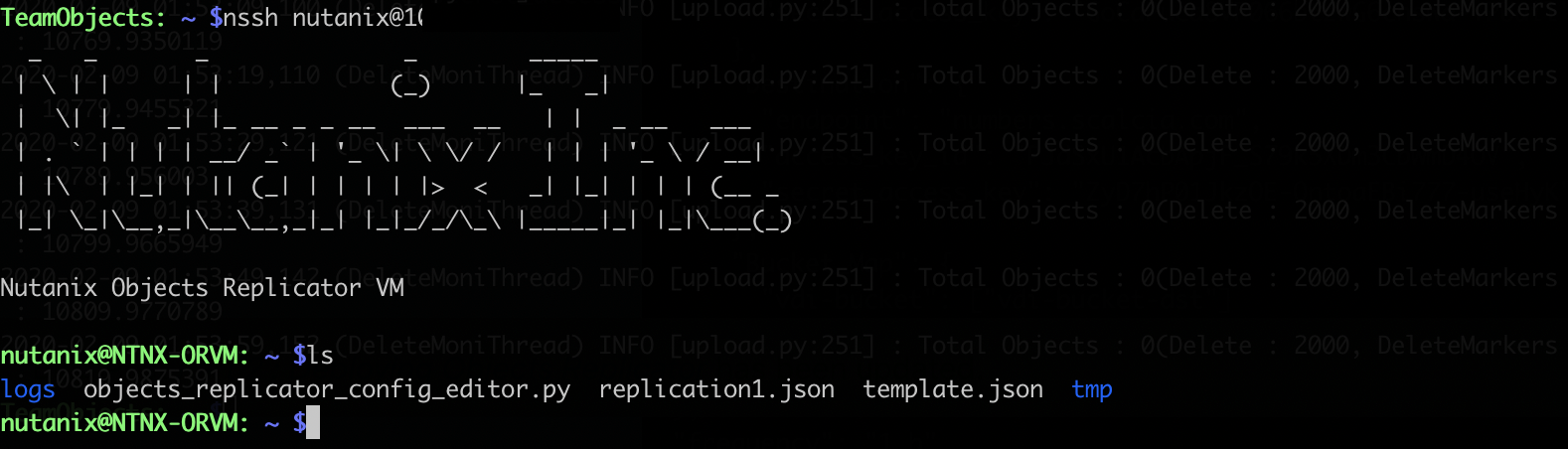
- Create configuration file : cp template.json replication1.json
- Configure replication rules : python objects_replicator_config_editor.py --config replication1.json
- Input source and destination endpoint and creds/bucket information.

- Save the settings. You should see message : “Objects Replicator Configuration Successful!” on screen on success.
- In above case all the objects from calculus.scalcia.com/vdi-bucket will be replicated to numbers.scalcia.com/vdi-bucket-dst to every 1 hr. By default frequency is 24 hrs which is configurable based on your requirement.
- You can configure multiple buckets within these endpoints or configure different endpoint and different buckets between them.
Lets add few objects in vdi-bucket and start replication service :

On left side I am connected to calculus.scalcia.com/vdi-bucket via Cyberduck and on right side it numbers.scalcia.com/vdi-bucket-dst . Upload few objects to vdi-bucket , so when we initiate replication, we could test some data being replicated to vdi-bucket-dst bucket.
Start replication service :
- From Objects Replicator VM execute : objects_replicator_start -p replication1.json

- On the start service, Objects Replicator will initiate full replication . And every 24hrs it will initiate incremental replication.

Both buckets are synced. Every 24hrs automatic replication will be triggered to replicate newly added objects.
- Replication progress can be tracked from Replicator logs:

Configuring Alerts :
We can configure alerts in PrismCentral to monitor all replication progress right from Objects UI.
- Download "objects_replicator_config_alerts.txt" file on PrismCentral .
- Execute below command :
“sh objects_replicator_config_alerts.txt -a add -p <IP Address of Replicator VM> -n Calculus” - This will configure alerts on PrismCentral and you can see alerts raised in Calculus objects UI for every replication job .

In above example we just configured one replication rule between two Objects instances against one bucket. But you can use same Objects Replicator instance for configuring multiple replication rule.
Sample Config showing multiple replications between two Objects instances and across multiple Objects instances and buckets :
| { "replicator": { "Config1": { "Source": { "access_key_id": "QSDUGzUFgocZL", "secret_access_key": "Be40J3HsLbQhAXs7NLXrKM1H7gPq_7Eh", "endpoint": "calculus.scalcia.com" }, "Destination": { "access_key_id": "Wg8s7ME70wm9yhgFtCgT1NaLkWxZMZ", "secret_access_key": "BanU-jFkZG9oo74a6MWh-Kh0qSFaJf6Op", "endpoint": "nubmers.scalcia.com" }, "Bucket_Map": { "src-sql": ["dst-sql"], "src-gmt280": ["dst-gmt280"], "antivirus-softwares": ["backup-data"] } }, "Config2": { "Source": { "access_key_id": "519JuUWg8s7ME70wm9yCgT1NaLkWxZMZ", "secret_access_key": "jFkZG9oo74a6MWhUBAN-Kh0qSFaJf6Op", "endpoint": "calculus.scalcia.com" }, "Destination": { "access_key_id": "Y-AZFCfsAGhanC8rKSrp_x8vBq3JWoF3", "secret_access_key": "LnpjSYymIIe34XCSEesuPgMdm459BsYN", "endpoint": "statistics.scalcia.com" }, "Bucket_Map": { "finance-data": ["backup-finance"] } }, "Config3": { "Source": { "access_key_id": "519JuUWg8s7ME70wm9yCgT1NaLkWxZMZ", "secret_access_key": "jFkZG9oo74a6MWhUBAN-Kh0qSFaJf6Op", "endpoint": "probability.scalcia.com" }, "Destination": { "access_key_id": "Y-AZFCfsAGhanC8rKSrp_x8vBq3JWoF3", "secret_access_key": "LnpjSYymIIe34XCSEesuPgMdm459BsYN", "endpoint": "Algebra.scalcia.com" }, "Bucket_Map": { "employee-common-share": ["common-backup"], "opensource-software-repo": ["backup-data"] } } }, "frequency": "24 h" } |
In above config I have :
- 3 different replication rules configured between calculus.scalcia.com -> numbers.scalcia.com
- 1 rule configured between calculus.scalcia.com to statistics.scalcia.com
- 2 replication rules configured between probability.scalcia.com -> algebra.scalcia.com
These all replications will be auto-triggered at every 24 hrs. Replication time configurable based on requirement. E.g : Changing “24 h” -> “12 h” would initiate replication at every 12h.
Simple and easy.